Showing posts with label email newsletter designs. Show all posts

Friday, August 24, 2018

How To Create An Email Newsletter

So you’ve decided to create an email newsletter. Hooray for you! Or maybe someone’s suggested you launch one and you really have no idea what they’re talking about? Whether you’re an email newbie or you just want to make sure you’re doing things correctly, we’ve got you covered.

Right on cue, here’s “The best email newsletter post ever”.

What is an email newsletter?

Basically, an email newsletter is a type of email sent out by companies or individuals to a subscriber list (existing or potential customers that have signed up to receive marketing communications) that’s contains valuable content (guides, blog posts, news, products reviews, personal recommendations, tips, announcements and other resources).

Newsletters are an essential part of the email marketing strategy, as they allow businesses to nurture their contacts, by establishing themselves as key players in their industry, sharing insights and highlighting new products that will drive traffic to the website.

What are the advantages and the drawbacks of sending an email newsletter?

The immense popularity of email newsletters isn’t a coincidence. Email marketing is one of the most effective marketing channels. The average ROI is £38 for each pound invested and 72% of customers prefer to be approached via email. Well-designed marketing emails sent regularly, like email newsletters, guarantee constant website traffic, webinars and other event registrations and product sales. As newsletters statistically form the largest part of all marketing emails sent, they hold a great deal of marketing potential.

Wondering whether setting up an email newsletter is the right step for your business? Let’s have a look at the advantages and drawbacks of sending one!

Strengths of sending an email newsletters

Creating a newsletter is not just a way to keep your customers informed about your new product or features, but has many other advantages.

A newsletter is a constant source of traffic

One of the main reasons for creating a newsletter is that it generates regular website traffic. Organic engagement on social media platforms like Facebook is declining dramatically. Banner advertising is rarely noticed in the era of ad blockers. Written press releases sent by email will often be ignored by journalists and online editors.

Luckily, this is not true for newsletters. Emails that reach someone’s inbox are usually seen, and the likelihood that they will be opened is high, provided that the subject line is appealing and the sender is recognized (so make sure your readers know who you are!). If your newsletter is well designed and it contains relevant content, this will enhance your chances of the reader clicking on the calls-to-action for more information.

Email Newsletter generates considerable savings

Money is important for marketers. So anything that saves you money should be a top priority. And newsletters do.

Don’t underestimate how much money email marketing saves you, compared to other using other marketing tools. Paid advertisements like banner advertising, Google AdWords, Facebook Ads and influencer marketing are considerably more expensive than email newsletter marketing. The cost of a newsletter software is usually low and labor costs are also lower, as the newsletter is created and optimized faster than other media.

Easy performance measurement

The success of a marketing tool is based on whether it reaches the required relevance or not. And in order to find out, performance must be measurable.

Measuring the performance of an email newsletter is simple. Your email statistics provide you with all the information you need to do this: open rates, click rates, unsubscribe rates, bounces, which user terminals were used to open the newsletter and when, which links are clicked on, etc. These KPIs will help you accurately calculate your ROI and produce target-audience relevant newsletter content.


Corresponding KPIs Newsletter

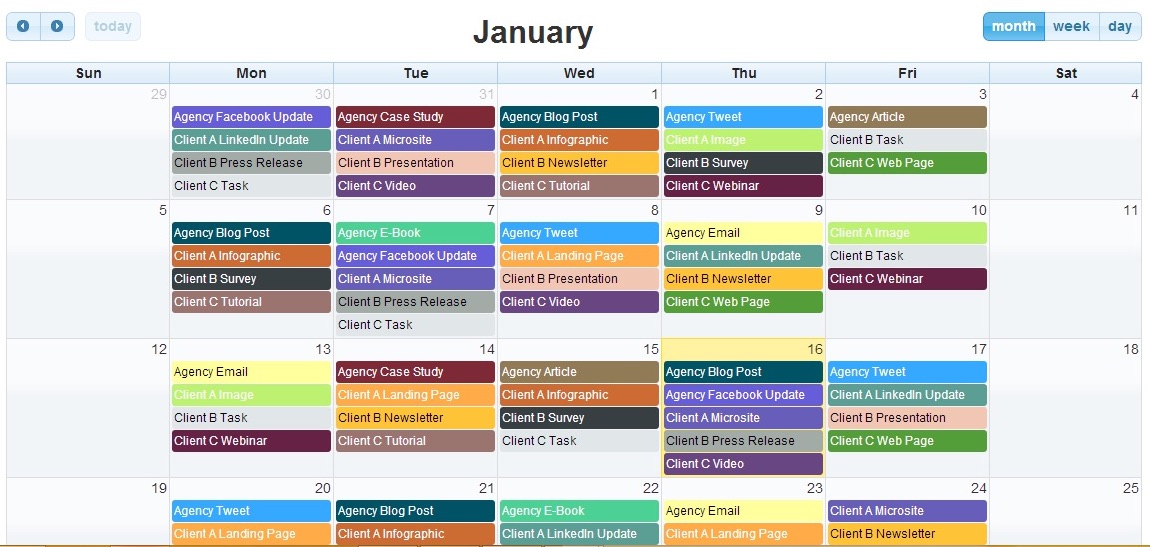
Define rough content

Planning the topic of your newsletter is closely connected to the objectives you have defined, but coming up with content can be hard at first.

To find inspiration, analyze your competitors’ newsletters (of course, avoid copying it and concentrate on what else you can offer to make yours better 💪) and newsletters of companies that you think are successful at email marketing. This is likely to give you inspiration about new potential topics, products, events etc.

Another recommended method is to carry out a survey in advance, and to continue asking your contacts to share their thoughts as you grow your newsletter list. At Mailjet, we do this to ensure we are always providing the kind of content our subscribers want to read, and we love reading their feedback.

If you’re just starting one, ask your target audience and customers what content they want to see and what are their expectations for a potential newsletter. If you want to incentivize customers to complete it, consider giving away freebies or discounts.


How to Build your newsletter subscriber lists before creating an email newsletter

In order to be able to create and send a newsletter, you obviously need recipients (duh!). Setting up an email contact list with high interaction rates is relatively simple if you take certain factors into consideration.

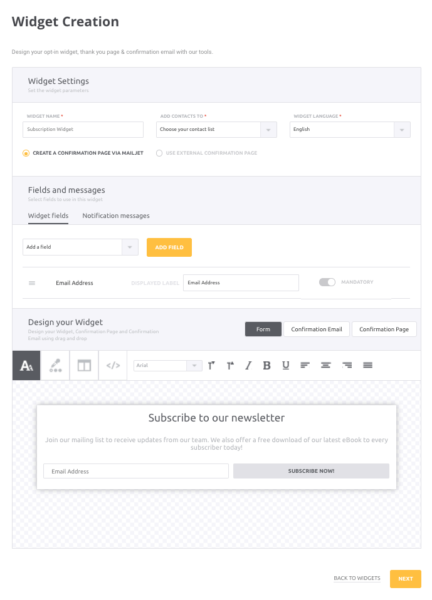
How to add subscription widgets to your site

To gain new newsletter subscribers, the first thing you’ll need is a responsive subscription widget with a double opt-in process. Add the subscription widget to all the relevant pages of your website. Some of the most effective places to include your widget in are the homepage, the blog, the footer and pages with gated content, such as guides, white papers, and others.
New York Times email subscriptions

Explore other channels to develop your newsletter contacts list

Aside from adding a widget on your site or a dedicated landing page, there are other ways of growing your email list, such us promoting it on your social media platforms, incentivising existing subscribers to share or encouraging people to join at events or at your physical store.

Consider what benefits prospective recipients may have if they subscribe to your newsletter. Ideally, you have already clarified these reasons in your strategy. Bear in mind that arguments like ‘100% free’, ‘no spam messaging’ or ’subscription can be canceled at any time with a single click’ are not actual benefits.

Real added value, for example, is provided by things like special offers, advanced information and booking facilities, invitations to exclusive events, regular industry information, access to exclusive content like e-books, email mini-courses, etc.

Build your email contacts list properly: Get consent from your contacts


But remember, regardless of how you’re getting your subscribers, you should always ask for consent before adding anyone to your email database. Remember what data protection and spam laws (like GDPR) say about consent, and ensure you’re complying with the applicable regulations.


Source: https://www.business2community.com/
Image Credit: business2community.com


ABOUT WNFP
Westchester Networking for Professionals (WNFP) is a business organization focused on providing our members and guests with an extraordinary networking experience, bringing business professionals together for the sole purpose of generating new relationships and developing new business opportunities. Not a member, learn how you can become a member and join this awesome group of professionals to connect and grow your business.

Stay Connected with WNFP!
Join WNFP Communities!

Wednesday, March 23, 2016

The 9 Emails Your Business Should Be Sending


If you want take your email marketing to a new level, we’ve put together nine emails your business should send on a regular basis. We’ll tell you the purpose of each email and the type of businesses that can benefit from it. We’ll also tell you, on a scale of 1 to 5, the difficulty level for each email. The closer the number is to 5, the more effort it takes. Plus, we give you three tips to create each email.

1. Promotional Email

Purpose: To promote a product or service, usually to entice customers to make a purchase.
Business that would benefit: Every business.
Difficulty level: 1. Promotional emails are short and sweet. You might want to create a special graphic, otherwise, it’s not a time consuming process.

Three tips to create a Promotional Email:

▪ Make the offer clear – Your customers may not take the time to read your email, but if you have a clear offer that’s front-and-center, they can’t neglect it, says marketer Anthony Kirlew with AKA Internet Marketing. In the promotional email below, there is no question what the deal is.

▪ Create a sense of urgency – Give customers a reason to act quickly, rather than let the email sit in their inbox. Create a sense of urgency with your promotion. In the example above, the dates of the promotion are apparent. Use active language, too. For instance, “Shop now.”

▪ Keep it short – Promotional emails don’t require a lot of explanation. State the deal, tell customers how to redeem it and when the deal expires. No need for a lot of flowery words. Take a look at the example below. In less than 45 words, the retailer sums up the deal.
2. New Inventory Email

Purpose: To let your customers know about new items. It falls under the promotional email umbrella. You’re updating customers, but also hoping for a sale.
Business that would benefit: Any business can tell customers about a new item in stock. Fashion and retail businesses may get the most bang for their buck.
Difficulty level: 2. Time is spent taking a good picture of the new product, but it doesn’t require a lot of text.

Three tips to create a New Inventory Email:

▪ Send the email out as soon as the item arrives – As soon as you have the inventory in stock, create the email and hit send. This shows you’re on top of new trends and want your customers to have the latest, greatest items available.

▪ Take a killer picture – You don’t have to get artsy, but you do need to showcase your new item. In fact, these types of emails are more about the photo than text. Take the email below, for example. It’s all about the picture. In just 17 words, Coach gets its point across.
▪ Convey the point in your subject line You know subject lines can determine whether or not your customer opens your email, and this email is no different. Be sure to tell your customers that you’ve got something new and fun for them to check out. Redbox does this with a simple subject line, “This week’s new releases,” in the example below.
3.  Newsletter Email

Purpose: To inform customers about company news, improve brand awareness and build a relationship with your core audience.
Business that would benefit: Every business.
Difficulty level: 3. It takes a bit of time to create a solid newsletter, but it’s a valuable marketing tool.

Three tips to create a Newsletter Email:

▪ A newsletter doesn’t mean long format Break the copy in your newsletter into short, digestible and actionable sections of content, copy, images and calls to action.

▪ Create an easy-on-the-eyes design Think of your newsletter like a mini-newspaper. You want clear lines and divisions between your content. Take a look at the example below. See how clean it looks? You want a simple layout with basic fonts. Don’t go crazy with the color scheme, either.
▪ Include your contact information in the newsletter You always want your contact information in an easy-to-find area on the newsletter. The purpose of your newsletter isn’t necessarily to sell, but if your customers are inspired to reach out to you because of the newsletter, you want them to be able to find you, Kirlew says. Note the contact buttons on the newsletter below.
Tips for newsletter content:

1. The content should be useful to readers Every piece of information included in your newsletter should have value. You want your customers to learn something about your business and come to rely on you for industry information.

2. Send your newsletter on a consistent basis You want your customers to look forward to your newsletter. To do that, you have to be consistent. Send a newsletter on the last day of the month, or on the 15th of each month. Whatever you decide, stick to it.

4. Welcome Email

Purpose: To welcome new email subscribers to the family and establish a good relationship.
Business that would benefit: Every business.
Difficulty level: 2. Creating the email doesn’t take long, but you need to know when a new customer signs up.

Three tips to create a Welcome Email:

▪ Write in a conversational tone A Welcome Email is like a virtual handshake that accepts a new member to your group. It should be inviting and warm. Show the personal side of your business, says Noah Parsons, a marketer with Palo Alto Software. Take a look at the email below. The letter format feels welcoming and it has a nice tone.
▪ Consider offering a reward In celebration of a new customer, you could offer a discount or some sort of perk. You could offer 15 percent off the next purchase like REI did in the example above, or offer another perk like free shipping.

▪ Remind new users about the benefits Thank your new customers for signing up and reinforce their decision to join. Tell readers what they’ll get out of this new partnership. The email below does exactly that.
5. Product Advice Email

Purpose: To offer your customers advice on how to get the most from your business or product. At the same time, you establish your authority in the industry.
Business that would benefit: Every business.
Difficulty level: 3. This kind of email is has more information, so your time will go toward writing and proofreading.

Three tips to create a Product Advice Email:

▪ Create valuable content – The key to this kind of email is to offer tips that your customers want to read. Help solve problems they may have or obstacles they may need to overcome. Or, offer tips to help your customers use and maintain your product or service. If you sell cameras, send an email that teaches customers how to use certain features. If you sell bathroom fixtures, include installation tips. Whatever your business is, create an email that gives your customers a helping hand. Swap Couture, a website where members swap designer purses, sends emails to its customers about how to care for designer bags. Take a look at the example below.
▪ Proofread – No matter what email you send, you should proofread it several times. Read it from the bottom up so your brain isn’t reading words that aren’t there. Then, have someone else read it. Take it through an error-check process before sending. Nothing cuts your credibility like misspellings and grammatical errors.

▪ Focus on customer service – Emails that offer product tips should also showcase your commitment to customer service. Emails like this tell customers, “We’re here for you.” Follow through with that message by adding contact information to the email. The email below, for example, offers tips to wear a certain piece of clothing, but you’ll also notice there is a “contact us” option in the top right corner.
6. Educational Email

Purpose: To provide customers with industry knowledge that’s connected to your business or product. It helps build relationships and trust between your business and your customers.
Business that would benefit: Every business.
Difficulty level: 3. It takes time to brainstorm ideas and to create a sharp email.

Three tips to create an Educational Email:

▪  Offer relevant content – When you send an educational email, you’re trying to build a relationship with your customers. The best way to do that is to teach them something. However, you want to teach them something that has a connection to your business. For instance, Monster.com, the job search site, sends its customers information about life in the workplace. An example is below.
▪ Consider offering bite-sized information – Take a cue from the Monster.com email above and write bite-sized pieces of information in the article; let your customers decide if they want to read more. The “Read more” link takes your customer to your blog for the full article. It’s a great way to engage with customers via email and boost blog traffic.

▪ Add a mini-promotion – You can add a promotional element to this kind of email, but it shouldn’t be the main attraction. For example, Lumosity, the brain game site, offers an educational article as the main feature, but notice a promotion on the right side for a family membership. It’s subtle and simple.
7. Reorder Email

Purpose: To remind customers that it’s time to reorder a certain product.
Business that would benefit: Any business that sells products or services needed on a regular basis. Examples include products like printer cartridges, contacts, pet medications and vitamins.
Difficulty level: 3. Basic text and images are needed.

Three tips to create a Reorder Email:

▪ Clear call to action – The purpose of a reorder email is to encourage your customers to replenish your product or perhaps renew a subscription for a service. You want to make the buying process as simple as possible. To do so, create a simple, easy-to-find button that says, “Reorder now.” For instance, in the example below, customers can reorder pet medication from Pet Wellbeing.
▪ Remind customers of the value – In the email, tell your customers why reordering is a good idea. Maybe it’s to keep vital pet medications on hand, or to avoid the hassle of running out of toner at the office. You could also offer a discount to those who reorder within a certain time frame.

▪ Mention past purchases – If you want, you can mention in the email what your customer purchased in the past, so they can reorder the same thing. The pet supply store below does this for its customers. It’s a nice addition to the email, but you can send it without this information.
8. Testimonial Email

Purpose: To reinforce how valuable your business or product is through customer feedback.
Business that would benefit: Every business.
Difficulty level: 4. It takes a bit of time to collect testimonials. You may need to be persistent to get customers to give them to you.

Three tips to create a Testimonial Email:

▪ Create a sleek design – Email design elements are important with testimonial emails. You want something that’s eye-catching and easy to read. Take a look at the example below. This retailer put together four quotes from happy customers and highlighted the product, too. It’s a win-win. Both the accolades and the products are showcased well in this simple design.
▪ Include an image – If you sell tangible items like clothing, using pictures of shirts and dresses makes sense. But that doesn’t work for every business. Take a medical clinic, for example, or a sanitation company. What image do you use in these cases? If you need a powerful image, ask the customer who gave the testimonial for a picture. Take a look at the example below. The customer’s picture is what makes the email work.
▪ Offer more information – A testimonial is great, but you should offer your customers a next step. For example, in the email above, customers can read more testimonials by clicking on the text. You could offer a link for others to leave feedback, or a link to other uplifting company news.

9. Survey Email

Purpose: To collect helpful information you can use to improve the customer experience.
Businesses that would benefit: Any business looking to better itself.
Difficulty level: 4. You’ll have to spend time creating the survey and writing an email with a link to the survey.

Three tips to create a Survey Email:

▪ Explain what’s in it for them – If you want a customer to take the time to fill out a survey, you need to give them a reason. In the example below from Software Advice, participants are entered to win an iPad.

▪ Address the purpose of the survey – Besides an incentive to fill out the survey, you should tell your customers why you want the information. Whether you’re trying to improve your business or conducting product research, which is the case in the example above, let your customers know the purpose of the survey.

▪ Make the survey easy to access – There should be an obvious, clickable link to the survey. Take a look at the example below. Notice the links to the survey are clear buttons on the left and also in red text at the bottom of the email.
Two tips to create a useful survey

Before you send the email out, you’ll need to create the survey. To help you create a useful survey, here are a few tips:


1. Ask the right questions
Make sure the questions you ask will yield helpful results, says, Victoria Garment with Software Advice. Stay on topic and reword questions, if necessary, to make sure they are understandable.

2. Keep it short
If a customer gets bored with your survey, they’ll stop filling it out. Aim for a five-minute survey to ensure customers make it to the end, suggests Garment.


source:www.verticalresponse.com


ABOUT WNFP
Westchester Networking for Professionals (WNFP) is an organization consisting of professionals and entrepreneurs which focuses on the success of our Members. We help our Members establish lasting relationships and generate new business opportunities towards the growth of their business.
Stay Connected with WNFP!

Tuesday, March 22, 2016

Play Nice in the Inbox: 7 Tips for a Well-Designed Newsletter


A big-shot marketing pro and hefty budget aren’t required to successfully market your small business. In fact, businesses everywhere use email marketing as a powerful tool to build customer relationships and attract and retain new clients. No matter your business, email marketing can work for you.

If you’re not already leveraging the benefits of an email newsletter, it’s time to jump on the bandwagon. Successful businesses work to ensure their newsletter designs are visually appealing and engaging to keep customers from immediately clicking the delete button.

Create a well-designed email newsletter with these helpful guidelines for newbies:


1.Define your goals

Before you even think about your design, you’ll need to decide on a purpose for your newsletter. Are you trying to drive traffic to your website, talk about new products, educate and inform your readers, or all of the above? Your goals will be the force behind the design and distribution of your content.

2. Don’t neglect the subject line

Just because someone signs up for your email list doesn’t mean he or she is actually going to open every email. This is where the subject line comes into play. The key is to give your readers a reason or incentive to click on the email right away. Get creative with a new, out-of-the-box subject line for each email you send.

3. Start with a header

A header should include the title of your newspaper, your company name and logo. There’s no need to find someone with graphic design experience, because you can easily create your own header using online DIY tools like Share As Image and Pixlr. Let your logo inspire the color scheme, using your company’s colors for borders and fonts to create a cohesive layout.


4. Stick with traditional fonts

A newsletter is not the time to start experimenting with fancy fonts. Pick one basic font, like Arial or Times New Roman, and use it consistently throughout the entire email.

5. Keep it organized

Don’t intimidate your readers with one giant chunk of content. Instead, break it down into short sections with subheadings so it looks and reads more like a newspaper. If possible, use a template through an email service provider. This allows you to simply select a template, upload your photos and start writing.

6. Harmonize with social media

Take your email marketing efforts even further by linking with your social media accounts. Include links to each social account where current and potential customers can click to follow you on the channel of their choice.

7. Balance your content

Your email subscribers want to know: What’s in it for them? They didn’t join your mailing list just to read about your products or your latest promotional offer. As a rule of thumb, your newsletter should be 90 percent educational and only 10 percent promotional. Stay away from self-promotion and focus instead on creating a relationship with your customers by providing them with educational and relevant content.


Get ready to launch your email newsletter and watch it thrive. Grab the attention of your audience with a clean design and digestible content. With these tips, you’ll increase readability and customer engagement in no time at all.


source:www.verticalresponse.com

ABOUT WNFP
Westchester Networking for Professionals (WNFP) is an organization consisting of professionals and entrepreneurs which focuses on the success of our Members. We help our Members establish lasting relationships and generate new business opportunities towards the growth of their business.
Stay Connected with WNFP!

Business blogs
Business Blogs - Blog Rankings